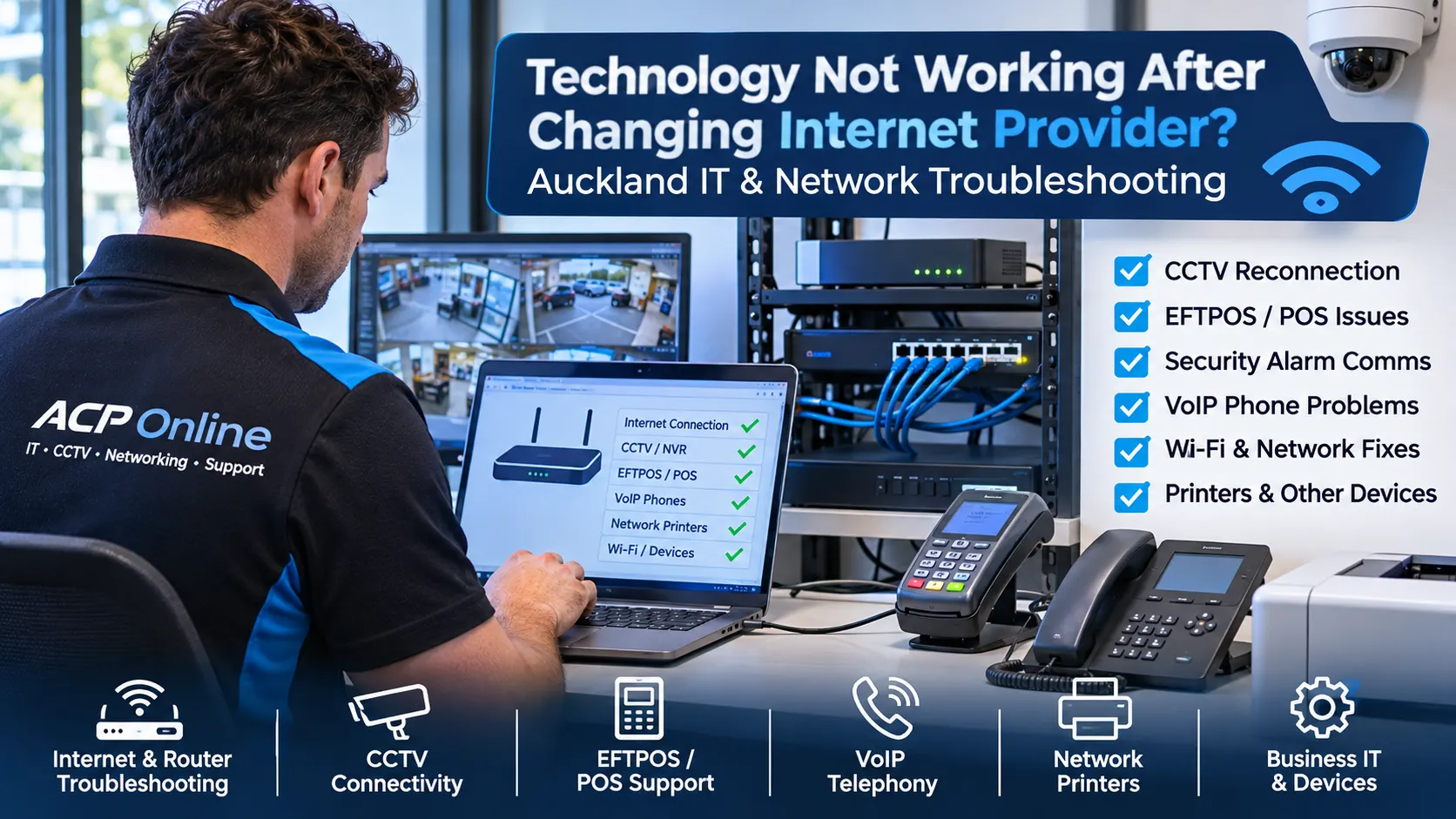
Technology Not Working After Changing Internet Provider? Auckland IT & Network Troubleshooting
Have your CCTV cameras, EFTPOS terminals, security alarms, business phones, Wi-Fi devices or network printers stopped working after changing internet providers, upgrading to fibre or replacing your broadband router?
ACP Online provides professional internet change troubleshooting, network fault diagnosis and technology reconnection services throughout Auckland. We help residential and commercial customers identify connection problems affecting existing equipment, with the aim of restoring service without unnecessary hardware replacement.
Changing from one internet service provider (ISP) to another can affect much more than your internet connection. Even when your new broadband is working, connected devices may stop communicating because their previous network settings are no longer compatible.
Our technicians can assess supported systems, including CCTV, EFTPOS, POS, security alarms, VoIP phones, printers, smart devices, access control equipment and business networks.
Need technical assistance? Call 09 974 4070 or contact ACP Online to discuss your connection problem.
Why Does Technology Stop Working After Changing Internet Providers?
When an internet provider installs a new modem or router, the equipment may use different network settings from your previous connection. Devices configured for the old network may no longer be able to access the internet, communicate with other equipment or connect to remote services.
Common causes include:
- New router IP address or subnet configurations.
- Changed DHCP address ranges and reservations.
- Static IP addresses that conflict with the new network.
- Incorrect default gateway or DNS settings.
- Changed Wi-Fi network names or passwords.
- Firewall rules or network isolation settings.
- Missing VPN or remote-access configurations.
- Changed public IP addresses or carrier-grade NAT.
- Disabled or incorrectly configured router services.
- Network switches or devices connected to incorrect ports.
- Unsupported router features or device firmware.
- Existing equipment that depends on provider-specific configurations.
ACP Online can investigate these issues and recommend appropriate configuration changes, repairs or compatible replacement equipment.
Technology Problems We Can Diagnose and Resolve
1. CCTV Cameras Offline After Internet Provider Change
One of the most common problems following a broadband change is losing remote access to an existing CCTV system.
You may still be able to view cameras on a local monitor, but your smartphone application displays offline, connection failed or device unreachable.
ACP Online can assist with:
- Dahua DMSS and supported Hik-Connect connectivity problems.
- Compatible CCTV DVR and NVR network configuration.
- Recorder IP addresses, gateways and DNS settings.
- Network switch and PoE connectivity checks.
- Supported secure remote viewing configurations.
- Router firewall and outbound connectivity diagnosis.
- Device firmware and compatibility assessments.
- Camera and recorder communication troubleshooting.
Where possible, we prioritise supported manufacturer cloud connectivity or secure remote-access methods rather than unnecessarily exposing recorder ports to the public internet.
For broader camera hardware and recording faults, see our CCTV Repairs and Maintenance Auckland service.
2. EFTPOS Terminal Not Connecting After Changing Broadband
Has your EFTPOS machine stopped processing transactions after installing a new router or changing internet providers?
Payment terminals may depend on specific Ethernet, Wi-Fi, DNS, firewall or payment-provider connectivity settings.
We can investigate:
- EFTPOS terminal network connectivity.
- Ethernet and Wi-Fi communication failures.
- Router and local network configuration problems.
- Connectivity between POS and supported EFTPOS terminals.
- Network cabling, switches and port faults.
- IP address conflicts and communication errors.
- Firewall or DNS issues affecting payment connectivity.
Payment-provider-controlled settings, security credentials and terminal provisioning may require the authorised EFTPOS provider. ACP Online can assist with local network troubleshooting and coordinate further action where appropriate.
3. Security Alarm Not Communicating After Fibre Upgrade
Some security alarms use telephone lines, IP communication modules or cellular communicators to transmit alarms to monitoring services.
Following an internet or fibre change, older systems may lose their communication pathway even when the alarm keypad and sensors continue operating.
ACP Online can assess:
- Alarm communication module connectivity.
- Compatible IP alarm communicator configurations.
- Router and firewall communication settings.
- Network connectivity to supported alarm systems.
- Older alarm communication equipment affected by copper withdrawal.
- Potential IP or cellular communication upgrades.
- Backup power and communication resilience.
Where monitoring is involved, communication testing and any changes to monitoring arrangements must be coordinated with the relevant monitoring provider.
4. VoIP Business Phones Not Working After Router Replacement
Business telephone systems can experience registration failures, one-way audio, dropped calls or complete service loss following network changes.
Our VoIP troubleshooting services can include:
- IP phone network connectivity testing.
- Supported SIP registration fault diagnosis.
- DNS, firewall and NAT configuration assessments.
- Voice VLAN and quality-of-service checks.
- Router SIP ALG compatibility investigation.
- PoE switch and network cabling testing.
- Multi-extension and branch connectivity assessments.
- Coordination with the authorised VoIP service provider.
We aim to restore reliable communication while maintaining appropriate network security and service-provider compatibility.
5. Wi-Fi Connected but No Internet
A device may show a strong Wi-Fi connection while still being unable to browse websites or communicate with other equipment.
Potential causes include DHCP failures, DNS errors, incorrect gateway settings, network isolation, authentication issues or faults affecting the broadband connection itself.
ACP Online can diagnose:
- Wi-Fi connectivity and internet access problems.
- Incorrect router and access point configurations.
- Mesh Wi-Fi and wireless roaming problems.
- Guest network and VLAN isolation issues.
- Wireless interference and signal coverage.
- IP conflicts and DHCP assignment failures.
- DNS resolution and routing faults.
6. Network Printers and Receipt Printers Offline
Office printers, barcode printers, receipt printers and network-connected multifunction devices may become inaccessible when their configured IP addresses no longer match the network.
We can assist with:
- Network printer IP configuration.
- Printer discovery and connectivity troubleshooting.
- Windows printer port and driver checks.
- Receipt printer and POS communication problems.
- Ethernet cabling and switch diagnostics.
- DHCP reservations and supported static IP configurations.
7. Smart Home, Intercom and Access Control Devices Offline
Internet-connected intercoms, door controllers, smart switches, automation gateways and access control systems may lose remote functionality after a router replacement.
ACP Online can investigate supported equipment, including:
- IP video intercom communication faults.
- Smartphone intercom notification problems.
- Network-connected access control equipment.
- Smart home controller and gateway connectivity.
- Device Wi-Fi reconnection and IP configuration.
- Cloud service and network compatibility issues.
Any changes to electronic locking or access control equipment must preserve safe egress and existing safety requirements.
8. Business Computers, Servers and Shared Drives Not Connecting
After changing broadband equipment, businesses may experience shared folder failures, disconnected network drives, VPN errors, remote desktop issues or applications that cannot communicate with their servers.
Our network troubleshooting can include:
- Local area network (LAN) diagnostics.
- IP addressing, DNS and gateway testing.
- Windows network connectivity assessments.
- Shared printer and file access troubleshooting.
- Supported VPN connection fault diagnosis.
- Firewall, routing and network segmentation checks.
- Network cable and switch testing.
Professional Router, Modem and Network Troubleshooting
ACP Online provides structured troubleshooting for compatible routers, switches, wireless access points and connected devices.
Depending on the equipment and fault, our technicians may carry out:
- WAN and LAN configuration assessments.
- DHCP and static IP address planning.
- Gateway, DNS and routing diagnostics.
- Network ping and traceroute testing.
- Ethernet port and cable fault tracing.
- Firewall and NAT configuration reviews.
- Wi-Fi configuration and interference checks.
- VLAN and managed switch assessments.
- Device connectivity and service testing.
- Configuration documentation and recommendations.
Where necessary, we can recommend suitable replacement networking hardware, subject to compatibility and customer approval.
Our Internet Change Troubleshooting Process
Step 1 – Identify the Affected Systems
We discuss what changed, when the fault started, which devices are affected and whether the problem is local connectivity, internet access or remote viewing.
Step 2 – Assess the Existing Network
We review accessible router, network and device settings to identify potential configuration mismatches or hardware faults.
Step 3 – Diagnose the Root Cause
Where appropriate, we perform IP address, gateway, DNS, network port, connectivity and application-level tests.
Step 4 – Repair or Reconfigure
With the customer's approval, we implement supported configuration changes or recommend repairs and replacement equipment.
Step 5 – Test and Verify
We test the affected systems within the agreed scope and advise if further assistance from the ISP, payment provider, monitoring company or equipment manufacturer is required.
Who Can Benefit from This Service?
Our internet change and technology reconnection service is suitable for a wide range of Auckland customers, including:
- Retail shops and supermarkets.
- Restaurants, cafés and takeaway businesses.
- Offices and professional service providers.
- Warehouses and commercial premises.
- Gyms, sports clubs and community facilities.
- Schools and education providers.
- Laundromats and unattended businesses.
- Residential homes and home offices.
- Property managers and building operators.
Remote and On-Site Technology Support in Auckland
Some network problems can be diagnosed remotely when the customer can provide suitable access and the required equipment remains reachable.
Other faults require an on-site visit to inspect physical cabling, routers, switches, security equipment or network-connected devices.
ACP Online offers remote technical assistance, workshop services and on-site support for supported equipment.
Service charges, minimum labour periods and call-out fees apply. Please review our IT Support and Service Rates before booking.
Why Choose ACP Online?
- Multi-system troubleshooting: Support across networking, CCTV, POS, EFTPOS connectivity, security and business technology.
- Existing equipment assessment: We investigate repair and reconfiguration options before recommending replacement.
- Practical fault diagnosis: We look beyond the internet connection to identify affected devices and network services.
- Business and residential support: Assistance for different types of connected environments.
- Transparent service charges: Published support rates and clear service scope.
- Auckland-based technical services: Local workshop and on-site support options.
Frequently Asked Questions
Why did my CCTV stop working after changing internet providers?
Your new router may have changed the recorder's IP address, gateway, DNS or remote access settings. ACP Online can diagnose compatible CCTV and network configurations to identify the cause.
Can ACP Online reconnect my EFTPOS machine after a broadband change?
We can investigate local network, Ethernet, Wi-Fi and router connectivity issues affecting supported EFTPOS terminals. Provider-controlled payment settings may require assistance from your authorised EFTPOS provider.
Why does my Wi-Fi work but my security cameras show offline?
Wi-Fi internet access does not necessarily mean every connected device can communicate. Cameras may have incorrect IP settings, disconnected network links, DNS problems or remote access configuration issues.
Do I need to replace my CCTV recorder when changing internet providers?
Not necessarily. Many connection problems are caused by network configuration changes. We can assess whether your existing equipment can be reconfigured or whether a compatible upgrade is required.
Can you fix a security alarm that stopped communicating after fibre installation?
We can assess supported alarm communication equipment and network connections. Older telephone-based alarm communicators may require compatible IP or cellular upgrades, and monitored systems may need coordination with the monitoring provider.
Why are my VoIP phones not working after replacing the router?
VoIP phones may be affected by DNS, firewall, NAT, SIP registration, VLAN or network connectivity changes. ACP Online can diagnose supported local network issues and coordinate with your VoIP provider where required.
Can you fix a network printer that disappeared after a modem change?
Yes, supported printers can be assessed for IP address, gateway, network port, driver and connectivity problems. Some faults can be resolved through network or printer reconfiguration.
Can these problems be fixed remotely?
Some can. Remote troubleshooting depends on the nature of the fault, device accessibility and available permissions. Physical cabling, disconnected devices and certain router faults may require an on-site visit.
Will ACP Online work with equipment installed by another company?
We can assess many existing third-party systems, subject to technical compatibility, ownership verification, administrator access and availability of necessary documentation or credentials.
How much does internet change troubleshooting cost?
Charges depend on the type of fault, service location and time required. ACP Online publishes its standard service rates at IT Support and Service Rates. Additional hardware, licensing or third-party charges may apply with approval.
Can ACP Online guarantee every device will work after troubleshooting?
Not every fault can be resolved through network configuration. Some equipment may have hardware failures, unsupported software, restricted provider settings or compatibility limitations. We will explain our findings and available options.
Book Internet Change and Technology Troubleshooting in Auckland
Don't replace working technology before identifying the actual problem.
If your CCTV, EFTPOS, security alarm, VoIP, Wi-Fi, printer or business equipment stopped working after an internet provider change, ACP Online can help investigate the cause.
When contacting us, please provide:
- Your Auckland suburb or service location.
- The previous and new internet providers, if known.
- The make and model of your modem or router.
- Which devices or systems are no longer working.
- Any error messages or screenshots.
- Whether you require remote or on-site assistance.
Call: 09 974 4070