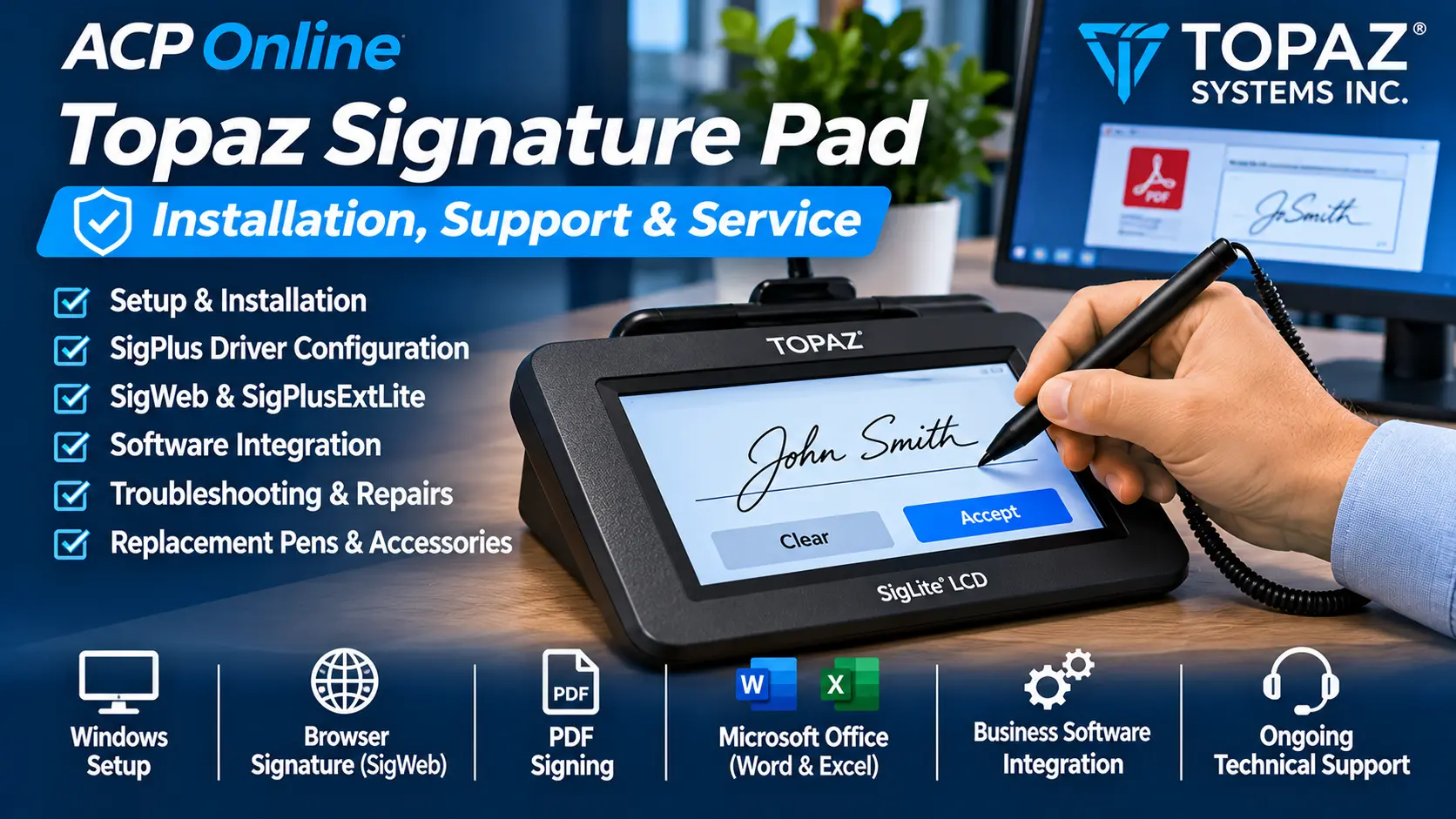
Topaz Signature Pad Installation, Repairs & Technical Support NZ
Topaz signature pad not working? Need help installing a Topaz SigLite, SigLite LCD or electronic signature capture device?
ACP Online provides professional Topaz electronic signature pad installation, driver configuration, software troubleshooting, compatibility assessment and technical support throughout Auckland, New Zealand and the South Pacific.
We assist businesses using Topaz electronic signature pads for customer signatures, electronic documents, reception counters, sales agreements, financial applications, healthcare administration, PDF forms and supported business software.
Whether your Topaz signature pad is not detected by Windows, has stopped capturing signatures, requires SigPlus software installation or needs integration with a browser-based application, ACP Online can help investigate and resolve supported technical issues.
Our services cover suitable Topaz signature capture hardware, software, drivers, accessories and compatible application integrations.
Need assistance with your Topaz signature pad? Contact ACP Online for Topaz Signature Pad Installation & Technical Support.
Professional Topaz Signature Pad Installation and Setup
Topaz signature pads are designed to capture handwritten electronic signatures using compatible software and applications.
Correct installation requires the appropriate device model, communication interface, software drivers, application configuration and operating system compatibility.
ACP Online can assist with:
- Topaz signature pad installation on compatible computers.
- USB and supported serial interface configuration.
- Topaz SigPlus software installation.
- SigWeb browser integration setup.
- SigPlusExtLite installation and configuration.
- Supported electronic signature application setup.
- PDF and document signing configuration.
- Topaz device recognition troubleshooting.
- Signature capture testing and verification.
- Replacement signature pad setup.
- Computer replacement and software migration.
- Compatible remote desktop and virtual environment assessments.
- Ongoing technical support and maintenance.
Topaz Signature Pad Models We Support
ACP Online can assess installation and technical support requirements for compatible Topaz Systems electronic signature capture devices.
1. Topaz SigLite Electronic Signature Pads
Topaz SigLite signature pads provide electronic handwritten signature capture for supported business applications.
They are commonly used where businesses need a dedicated signature capture device connected to a computer.
Our services include:
- SigLite installation and configuration.
- Model-specific driver selection.
- USB connectivity troubleshooting.
- SigPlus software setup.
- Signature capture application testing.
- Replacement device configuration.
ACP Online can assist with compatible models including the Topaz SigLite 1x5 T-S460-HSB-R, subject to device and software compatibility.
2. Topaz SigLite LCD Signature Pads
Topaz SigLite LCD devices include a display that allows users to view their signature while signing, depending on the model and application.
These devices are suitable for selected customer-facing signature capture applications.
ACP Online can assist with:
- SigLite LCD installation.
- Compatible display and driver configuration.
- Signature capture software setup.
- USB interface troubleshooting.
- Application compatibility checks.
- Signature display and capture testing.
Supported equipment may include the Topaz SigLite LCD 1x5 T-LBK460-HSB-R and other compatible models.
3. Topaz SignatureGem Signature Pads
Topaz SignatureGem products are used in supported professional signature capture environments.
ACP Online can assess compatible SignatureGem installation, driver configuration, device detection and software integration issues.
4. Topaz GemView Tablet Displays
Topaz GemView products combine display functionality with supported electronic signature and document interaction capabilities.
Depending on the model and application, setup may require specific GemView drivers, display drivers and signature capture software.
ACP Online can assess:
- GemView installation requirements.
- Compatible display and signature drivers.
- Windows display configuration.
- Supported PDF signing applications.
- USB and display connectivity.
- Application and operating system compatibility.
5. Topaz Replacement Pens and Accessories
ACP Online can assist customers with compatible Topaz replacement pens, tethered styluses and other accessories.
Examples include the Topaz P-T110-L1 pen with curly tether, subject to compatibility with the signature pad model.
We recommend confirming the exact Topaz model number before ordering replacement accessories.
Topaz SigPlus Driver Installation and Configuration
Topaz SigPlus provides software components used by compatible electronic signature pads and applications.
Installing the wrong driver or selecting an incorrect device interface can prevent a signature pad from functioning correctly.
ACP Online can assist with:
- Identifying the exact Topaz model number.
- Selecting appropriate SigPlus installation components.
- Installing compatible drivers.
- Checking USB and serial communication settings.
- Resolving conflicting software installations.
- Testing the signature pad using supported utilities.
- Configuring the device for an approved business application.
- Assessing software compatibility after Windows updates.
We use manufacturer-supported software and procedures where applicable.
For official software information, visit Topaz Systems Software and Drivers.
Topaz SigWeb Installation and Browser Signature Capture
Topaz SigWeb is designed to support electronic signature capture within compatible browser-based applications.
Businesses using web-based customer forms, online registration systems and browser-based business applications may require SigWeb or another compatible Topaz integration method.
ACP Online can investigate:
- SigWeb installation problems.
- Signature pads not responding in browsers.
- Browser permission and local network access issues.
- SigWeb service configuration.
- Incorrect or outdated integration components.
- Problems after browser updates.
- Compatibility between the signature pad and web application.
- Signature capture testing in supported environments.
Some newer browser versions require additional local network access permissions for compatible SigWeb integrations.
SigWeb is not suitable for every shared or remote desktop environment. Alternative Topaz integration methods may be required.
Learn more at Topaz SigWeb Documentation.
Topaz SigPlusExtLite Browser Extension Setup
SigPlusExtLite is another Topaz technology used to support electronic signature capture within compatible browser applications.
It may be appropriate for certain local, remote or virtualised computing environments.
ACP Online can assist with:
- SigPlusExtLite installation assessments.
- Supported browser extension configuration.
- Compatible SigPlus installation.
- Browser signature capture testing.
- Remote desktop compatibility checks.
- Application integration troubleshooting.
- Configuration after computer replacement.
Compatibility depends on the operating system, browser, Topaz device and software application.
Topaz Signature Pad Not Working? Common Problems We Troubleshoot
Electronic signature capture problems can interrupt customer processing, document approvals and business workflows.
ACP Online can investigate issues such as:
- Topaz signature pad not detected by Windows.
- Topaz pad connected but not capturing signatures.
- SigPlus driver installation errors.
- Signature capture software not responding.
- SigWeb not working in Chrome or Edge.
- Browser application not recognising the signature pad.
- Signature appears blank or incomplete.
- USB communication errors.
- Incorrect device model configuration.
- Signature capture failing after a Windows update.
- Device not working after changing computers.
- Signature pad not working through Remote Desktop.
- LCD signature display not functioning correctly.
- Damaged USB cables or connection problems.
- Worn or damaged signature pad accessories.
- Unsupported application or driver combinations.
Our technicians assess whether the issue is related to the hardware, software, operating system, USB connection or third-party application.
Topaz Signature Pad Repairs and Hardware Fault Assessment
Not all Topaz signature pad problems are caused by software.
Hardware faults may involve damaged cables, faulty connectors, damaged signing surfaces, worn accessories or internal electronic failures.
ACP Online can provide an initial assessment of suitable devices, including:
- Visual hardware condition inspection.
- USB cable and connector checks.
- Device detection testing.
- Testing with compatible software.
- Replacement stylus compatibility checks.
- Assessment of intermittent communication faults.
- Advice on replacement versus repair.
- Assistance with suitable replacement equipment.
Important: Component-level repair may not be available or economically viable for all models. Manufacturer repair options, warranty eligibility and replacement recommendations depend on the device condition and product support status.
Topaz Electronic Signature Capture for PDF Documents
Many organisations use electronic signature pads to capture handwritten signatures on digital forms and PDF documents.
Topaz provides compatible applications and plug-ins for selected PDF signing workflows.
ACP Online can assess:
- Topaz pDoc Signer installation.
- Compatible Adobe Acrobat plug-in setup.
- PDF signature capture requirements.
- Signature field configuration.
- Document signing workflow issues.
- Application and device compatibility.
- Signature capture testing.
The legal validity and evidential requirements of an electronic signature depend on the transaction, applicable law, consent and recordkeeping processes. Installing a signature pad alone does not guarantee legal compliance.
Topaz Signature Pads for Microsoft Word and Excel
Topaz offers compatible plug-ins for electronic signature capture in selected Microsoft Office applications.
ACP Online can assist with supported:
- Microsoft Word signature plug-in installation.
- Microsoft Excel signature plug-in installation.
- Compatible SigPlus software configuration.
- Document signature field testing.
- Application compatibility troubleshooting.
Compatibility depends on the Office version, operating system, installed components and Topaz software requirements.
Topaz Signature Pad Integration with Business Software
Many businesses require signature capture within their existing applications rather than using a separate signing program.
Topaz provides software development kits and integration technologies for compatible applications.
ACP Online can assist with initial technical assessment, device configuration, testing and coordination with software developers or application vendors.
Potential applications include:
- Customer registration systems.
- Point of sale and retail applications.
- Electronic document workflows.
- Customer service counters.
- Financial service applications.
- Healthcare administration systems.
- Visitor registration software.
- Equipment collection and delivery acknowledgements.
- Insurance and consent forms.
- Custom business applications.
Custom software development, API changes and application integration are subject to separate technical assessment and quotation.
Third-party software vendors may need to provide integration documentation or participate in testing.
Topaz Signature Pads in Remote Desktop, Citrix and Virtual Environments
Signature capture in remote computing environments may require specialised configuration.
ACP Online can assess suitable Topaz devices and supported integration methods for:
- Microsoft Remote Desktop environments.
- Remote Desktop Services.
- Citrix environments.
- Virtual desktop infrastructure.
- Thin-client deployments.
- Multi-user business environments.
USB redirection, virtual COM ports, application location and supported Topaz software components can affect compatibility.
Not every signature pad model or integration method supports every remote environment.
Topaz Signature Pad Setup After Replacing a Computer
Replacing an office computer can cause an existing signature pad to stop working if the required drivers and software components are not transferred or reinstalled.
ACP Online can assist with:
- Identifying the existing Topaz signature pad model.
- Checking compatibility with the replacement computer.
- Installing appropriate Topaz drivers.
- Reconfiguring supported signature applications.
- Testing USB communication.
- Checking browser-based signing functionality.
- Confirming signature capture with the intended business software.
Who Uses Topaz Electronic Signature Pads?
Topaz signature capture solutions are used in a range of industries and administrative workflows.
- Retail and point of sale businesses.
- Banks and financial service providers.
- Insurance businesses.
- Healthcare and medical administration.
- Government and public service organisations.
- Hotels and hospitality businesses.
- Equipment hire and rental businesses.
- Logistics and delivery operations.
- Legal and professional offices.
- Education and training providers.
- Customer reception and registration counters.
Topaz Signature Pad Supply and Support Across New Zealand and the South Pacific
ACP Online supports suitable Topaz signature capture enquiries from businesses throughout New Zealand and the wider South Pacific region.
Our Auckland-based services include technical assessments, installation assistance, compatible equipment supply and remote configuration support where practical.
For customers outside Auckland, the feasibility of support depends on the device, operating environment, remote access availability, shipping arrangements and any required onsite work.
International shipping, customs charges, local taxes, manufacturer warranty conditions and regional compatibility should be confirmed before ordering equipment.
Our Topaz Signature Pad Support Process
Step 1 – Identify the Signature Pad
We confirm the Topaz model number, connection type and available device information.
Step 2 – Review the Computer and Application
We identify the operating system, signature capture software, browser or business application being used.
Step 3 – Diagnose the Problem
We investigate the relevant hardware, driver, USB communication and application configuration.
Step 4 – Recommend a Solution
We explain suitable installation, configuration, troubleshooting or replacement options.
Step 5 – Implement Approved Work
We carry out agreed installation or configuration changes using compatible software and authorised access.
Step 6 – Test Signature Capture
We test the device using appropriate utilities and, where supported, the customer's intended application.
Step 7 – Provide Support Recommendations
We may recommend software maintenance, compatible accessories, replacement hardware or further application vendor assistance.
Topaz Signature Pad Installation and Support Pricing
ACP Online provides paid technical installation, troubleshooting and support services.
Our standard business-hours technical service rates include:
- Workshop and remote support: NZ$170 + GST per hour, minimum one hour.
- Central Auckland onsite call-out: NZ$65 + GST.
- Outer Auckland onsite call-out: NZ$95 + GST.
- Onsite labour: NZ$170 + GST per hour, minimum one hour, with additional time charged in 30-minute blocks.
Signature pads, replacement accessories, software licences, shipping, specialist integration and third-party vendor services are additional where applicable.
Diagnosis and troubleshooting are chargeable even where an issue cannot be resolved due to unsupported equipment, hardware failure or third-party software restrictions, subject to applicable terms and consumer rights.
View ACP Online Technical Support Rates and Conditions.
Why Choose ACP Online for Topaz Signature Pad Support?
- Auckland-based technology service provider.
- Support for compatible Topaz electronic signature capture devices.
- SigPlus driver installation and configuration assistance.
- SigWeb and SigPlusExtLite troubleshooting.
- PDF and document signing setup.
- Business software integration assessments.
- Remote and onsite technical support options.
- Topaz signature pad and accessory supply enquiries.
- Support for New Zealand and South Pacific customers.
- Transparent published technical service rates.
Frequently Asked Questions About Topaz Signature Pads
1. Why is my Topaz signature pad not working?
Possible causes include incorrect drivers, USB connection faults, unsupported software, browser configuration issues or hardware failure. Diagnosis is required to determine the cause.
2. Does ACP Online install Topaz signature pads?
Yes. ACP Online provides installation, configuration and technical support for compatible Topaz signature capture devices.
3. Can you install Topaz SigPlus drivers?
Yes. We can assist with identifying and installing suitable SigPlus software for compatible devices and operating systems.
4. Why is my Topaz pad not detected by Windows?
Possible causes include USB connectivity, incorrect driver selection, software conflicts or hardware faults.
5. Can Topaz signature pads work with Google Chrome and Microsoft Edge?
Compatible Topaz signature pads can work with supported browser applications using appropriate integration software such as SigWeb or SigPlusExtLite.
6. What is Topaz SigWeb?
SigWeb is a Topaz software technology designed to support electronic signature capture within compatible web applications.
7. What is Topaz SigPlusExtLite?
SigPlusExtLite provides an integration method for supported browser-based signature capture applications, including certain remote computing environments.
8. Can Topaz signature pads sign PDF documents?
Yes. Compatible Topaz applications and plug-ins can support electronic signature capture in selected PDF workflows.
9. Can I use a Topaz signature pad with Microsoft Word?
Topaz offers compatible Microsoft Office plug-ins. Support depends on the device, software and Office version.
10. Can ACP Online repair a damaged Topaz signature pad?
We can assess suitable devices and advise whether troubleshooting, accessory replacement, manufacturer repair or replacement equipment is appropriate.
11. Can I use my existing Topaz pad on a new computer?
Possibly. Compatibility depends on the device model, connection interface, operating system and required software.
12. Do Topaz signature pads work through Remote Desktop?
Selected Topaz devices and software configurations support remote environments. Compatibility must be assessed for the specific deployment.
13. Can Topaz signature pads integrate with POS software?
Integration may be possible if the POS application supports a suitable Topaz integration method. Vendor cooperation or custom development may be required.
14. Can you supply replacement Topaz signature pad pens?
ACP Online can assist with compatible replacement pen and accessory enquiries, subject to stock availability.
15. What is the difference between SigLite and SigLite LCD?
SigLite is designed for signature capture, while compatible SigLite LCD models also provide a display for viewing signatures or prompts, depending on the application.
16. Can you fix Topaz signature capture after a browser update?
We can investigate supported browser integration issues, permissions, software compatibility and service configuration.
17. Can Topaz capture signatures in custom web applications?
Yes, supported Topaz SDKs can be used by developers to integrate signature capture into compatible applications.
18. Does ACP Online support Topaz devices outside Auckland?
We can assess remote support and equipment supply enquiries throughout New Zealand and the South Pacific, subject to practical and technical requirements.
19. How much does Topaz signature pad installation cost?
Standard technical support is charged at NZ$170 + GST per hour with a one-hour minimum. Onsite call-out fees and equipment costs may apply.
20. What information should I provide when requesting support?
Please provide the Topaz model number, operating system, connection type, software application, error messages and a description of the problem.
Book Topaz Signature Pad Installation, Repairs and Support
Get your electronic signature capture equipment installed, configured and working with your supported business applications.
ACP Online provides practical assistance with Topaz signature pad setup, SigPlus drivers, SigWeb, browser compatibility, device faults and replacement equipment.
When enquiring, please provide:
- Your business name and location.
- The exact Topaz signature pad model number.
- Whether the device connects by USB, serial or another supported interface.
- Your computer operating system.
- The software or website used for signature capture.
- Any error messages or screenshots.
- Whether the issue started after an update or computer replacement.
- Whether remote or onsite assistance is required.
Phone: 09 974 4070
Website: www.acponline.co.nz
Request Topaz Signature Pad Installation & Technical Support
Explore All ACP Online Technology Services
Manufacturer: Topaz Systems Official Website.
Looking for Topaz Signature Pads and Accessories?
Browse our range of Topaz electronic signature pads, SigLite, SigLite LCD, replacement pens and compatible accessories available through ACP Online.