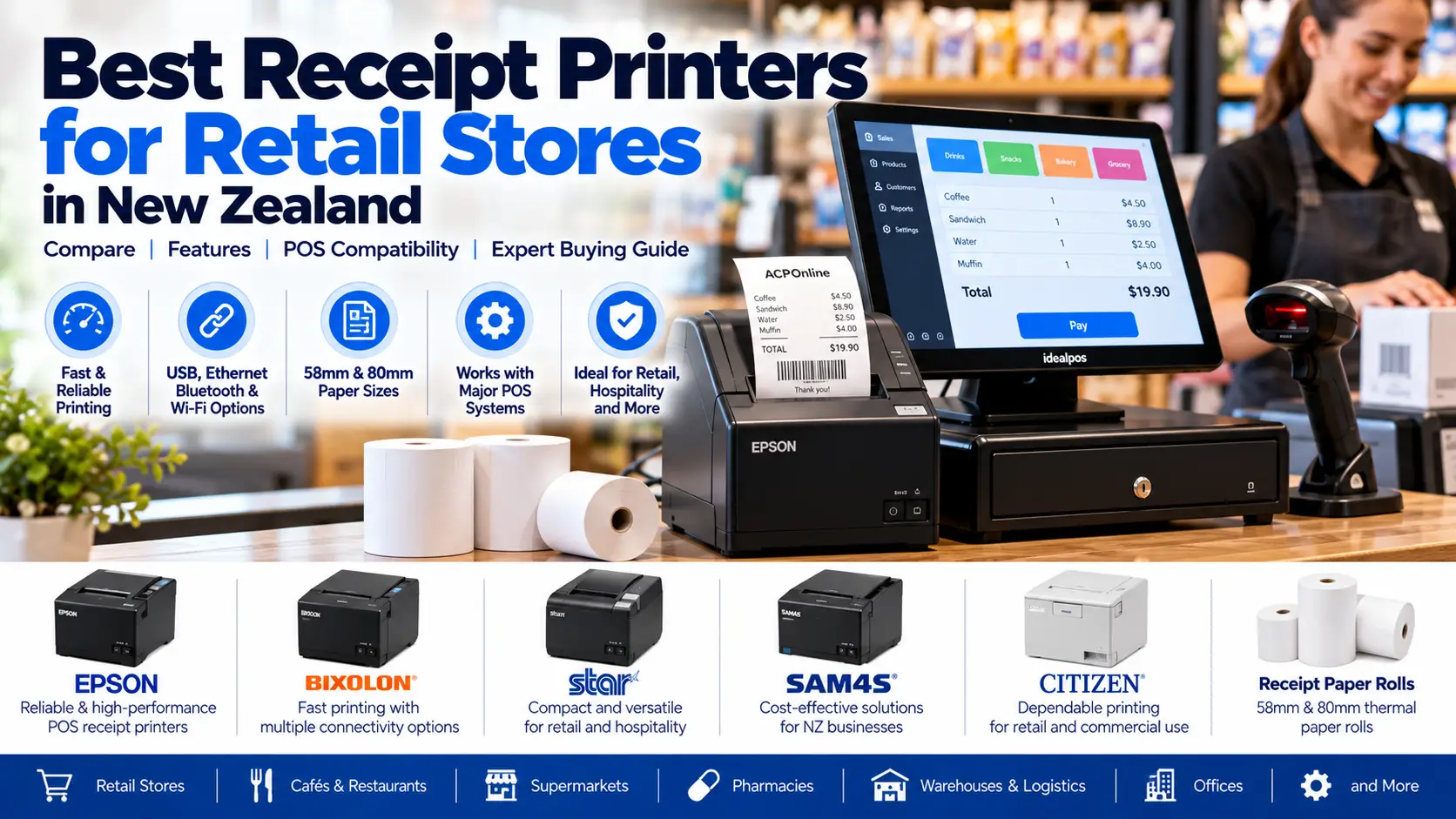
How to Choose the Best Receipt Printer for Your Retail Store
A reliable receipt printer is an important part of a retail point-of-sale (POS) system. Whether you operate a convenience store, supermarket, pharmacy, clothing shop, café or restaurant in New Zealand, the right printer can help process transactions efficiently and reduce checkout interruptions.
Choosing the best receipt printer involves more than comparing prices. Businesses should consider print speed, connection type, paper width, software compatibility, reliability, warranty and ongoing consumable costs.
At ACP Online, we supply POS hardware and provide receipt printer configuration, troubleshooting and repair services for Auckland businesses.
1. What Is a POS Receipt Printer?
A POS receipt printer produces transaction receipts from a compatible cash register, POS terminal or computer-based retail system. Some models also support order tickets, barcode printing, cash drawer connections and additional business applications.
Receipt printers generally use either direct thermal or impact printing technology. The most suitable option depends on your working environment and software requirements.
2. Thermal vs Impact Receipt Printers
Thermal Receipt Printers
Direct thermal printers use a heated printhead and heat-sensitive paper to produce text, logos and barcodes without ink or toner cartridges.
They are popular in modern retail environments because they offer fast printing, relatively quiet operation and straightforward paper replacement.
Impact Receipt Printers
Impact printers use a ribbon and mechanical print mechanism. They can be suitable for certain specialised environments, including applications requiring multipart paper or specific kitchen printing workflows.
Which Technology Is Better for Retail?
For most modern retail checkout counters, a compatible direct thermal receipt printer is a practical choice. However, software compatibility, operating conditions and receipt requirements should always be confirmed.
3. Best Receipt Printer Brands for NZ Retail Businesses
Several established manufacturers offer receipt printers suitable for New Zealand businesses. The following brands and product families are worth considering, subject to current availability and software compatibility.
Epson TM-T88 Series Receipt Printers
The Epson TM-T88 family is widely associated with commercial POS receipt printing. Models within this range offer fast thermal printing and different connectivity options.
These printers may suit busy retail counters, supermarkets and hospitality environments where supported by the POS software.
Best suited for: High-volume retail and commercial checkout applications.
Bixolon SRP Series Receipt Printers
Bixolon produces thermal receipt printers for retail and hospitality applications. Selected SRP-series models provide automatic cutters and different interface configurations.
Best suited for: Retail stores, cafés, restaurants and compatible POS installations.
Star Micronics TSP Series Receipt Printers
Star Micronics offers receipt printers for traditional POS systems and selected mobile or cloud-based checkout applications. Interface and software support vary by model.
Best suited for: Retail and hospitality businesses requiring compatible wired or mobile POS printing.
SAM4S Receipt Printers
SAM4S provides POS hardware, including receipt printing solutions for suitable retail and cash register environments.
Best suited for: Businesses using compatible SAM4S equipment or supported POS systems.
Other Receipt Printer Brands
Other manufacturers include Citizen, Custom and selected specialised POS hardware suppliers. Choose based on software compatibility, available support and replacement consumables rather than brand recognition alone.
4. USB vs Ethernet vs Bluetooth Receipt Printers
USB Receipt Printers
USB printers connect directly to a compatible POS computer or terminal. They are often suitable for a fixed checkout workstation.
Ethernet Receipt Printers
Ethernet printers connect through a local network and can support suitable multi-terminal POS environments. Correct network configuration and printer addressing are important.
Bluetooth Receipt Printers
Bluetooth printers may suit compatible tablets, mobile POS systems and portable checkout applications. Operating system, application and Bluetooth profile support must be confirmed.
Wi-Fi Receipt Printers
Selected models support wireless network printing. Wireless reliability depends on the network environment, printer configuration and software compatibility.
For a permanent retail checkout, USB or wired Ethernet connectivity is often a practical option where supported.
5. What Receipt Paper Size Should You Choose?
Two common receipt paper widths are approximately 58 mm and 80 mm, although exact supported paper specifications depend on the printer.
58 mm Receipt Printers
Compact printers may suit space-constrained environments and selected portable POS applications.
80 mm Receipt Printers
Many retail businesses prefer 80 mm printers because they can accommodate wider receipt layouts, detailed transaction information and business branding.
Check the printer's supported roll width, roll diameter and paper specification before ordering consumables.
6. Important Features to Compare
- Print speed: Appropriate for your expected transaction volume.
- Automatic cutter: Supports convenient receipt separation.
- Connection interface: USB, Ethernet, serial, Bluetooth or Wi-Fi as required.
- Paper compatibility: Suitable roll width and diameter.
- Cash drawer connection: Compatible drawer-kick interface where needed.
- Barcode and QR printing: Support for required receipt formats.
- Software support: Compatible drivers, commands and POS integration.
- Warranty and servicing: Suitable manufacturer support and replacement parts.
- Space requirements: Appropriate dimensions and paper-loading access.
7. Receipt Printer Compatibility with POS Software
Before purchasing a printer, confirm that your POS software supports the exact printer model and interface.
Compatibility considerations include:
- Operating system and driver support.
- Printer command language, such as compatible ESC/POS implementations.
- USB, serial or network communication requirements.
- Cash drawer integration.
- Receipt layout, logo and barcode requirements.
- Software-specific certified hardware lists.
ACP Online can assist with receipt printer selection and setup for compatible retail systems, including supported Idealpos and SAM4S environments.
8. Best Receipt Printers for Different Business Types
Supermarkets and Convenience Stores
Choose a reliable thermal printer with suitable speed, an automatic cutter and compatible POS connectivity for frequent transactions.
Clothing and Specialty Retail
An 80 mm thermal printer may be suitable for itemised receipts, returns and customer transaction records.
Cafés and Restaurants
Consider whether printers will be used at the counter, kitchen or bar. Kitchen environments may require specific printer construction, connectivity or printing technology.
Mobile Retail and Pop-Up Stores
Compact mobile printers may be appropriate where compatible tablet or mobile POS software is used.
Pharmacies and Service Businesses
Check receipt formatting, integration requirements and any specialised application or recordkeeping needs.
9. How Much Do Receipt Printers Cost in New Zealand?
Receipt printer prices depend on brand, model, connectivity, printing technology, performance and warranty coverage.
Businesses should also consider thermal paper costs, replacement accessories, installation, software configuration and technical support.
Check ACP Online for current product options and pricing, or contact our team for help identifying suitable equipment.
10. Common Receipt Printer Problems and Repairs
Receipt Printer Not Printing
Possible causes include power problems, loose cables, incorrect printer selection, driver issues or network connectivity faults.
Printer Producing Blank Receipts
Check whether the thermal paper is loaded with the printable side facing the printhead. Incorrect paper type or printhead faults can also cause blank output.
Receipt Printer Paper Jams
Paper jams may result from incorrect paper loading, unsuitable rolls, cutter problems or internal debris. Follow the manufacturer's safe clearing instructions.
Faded or Incomplete Printing
Low-quality thermal paper, a dirty or worn printhead, unsuitable settings or mechanical problems may affect print quality.
Printer Keeps Disconnecting
Check the USB or network connection, power supply, printer configuration and POS software settings.
Persistent faults may require professional assessment.
11. How to Maintain a Thermal Receipt Printer
- Use manufacturer-compatible thermal paper.
- Keep paper rolls protected from excessive heat and moisture.
- Clean the printer according to manufacturer instructions.
- Inspect accessible cables and connectors.
- Check cutter operation and unusual noises.
- Keep suitable spare receipt rolls available.
- Review recurring printing errors before they affect trading.
Switch off and disconnect equipment where instructed before cleaning. Do not touch a hot thermal printhead or use unsuitable chemicals.
12. When Should You Replace a Receipt Printer?
Consider replacing a printer when it experiences repeated faults, repair parts are unavailable, its interface is incompatible with a new POS system or its reliability no longer meets your business needs.
However, some problems can be resolved through configuration changes, cleaning, cable replacement or compatible parts.
A repair assessment can help determine whether servicing or replacement is more economical.
13. Receipt Printer Supply, Installation and Repairs in Auckland
ACP Online provides receipt printer equipment, POS hardware support, installation, configuration and troubleshooting services for Auckland businesses.
We can assist with selecting compatible printers, configuring receipt layouts, checking cash drawer connectivity and diagnosing common printer problems.
Need Help Choosing a Receipt Printer?
Whether you are replacing an existing receipt printer or setting up a new retail checkout, contact ACP Online for equipment advice and technical support.
Installation, configuration and technical support are chargeable unless specifically included in the product description or applicable service agreement.
Frequently asked questions
1. What is the best receipt printer for a retail store in NZ?
A compatible 80 mm thermal receipt printer from an established manufacturer such as Epson, Bixolon or Star Micronics is often a practical choice. The best model depends on your POS software, transaction volume and connectivity requirements.
2. Which is better, Epson or Bixolon receipt printers?
Both brands offer commercial receipt printers. Compare specific models based on POS compatibility, print speed, interfaces, reliability, warranty and servicing availability.
3. Do thermal receipt printers need ink?
Direct thermal receipt printers do not require ink or toner. They use heat-sensitive paper and a thermal printhead.
4. What is the difference between 58 mm and 80 mm receipt printers?
The main difference is supported paper width. An 80 mm printer provides more space for receipt layouts, while 58 mm printers are often more compact.
5. Can I connect a receipt printer to my POS system?
Yes, if the printer is compatible with your POS software, operating system and required interface. Compatibility should be confirmed before purchasing.
6. Can receipt printers work over Wi-Fi?
Some receipt printers support Wi-Fi or wireless connectivity. Reliable operation depends on software support, wireless network conditions and printer configuration.
7. Why is my receipt printer printing blank paper?
Common causes include thermal paper loaded incorrectly, unsuitable paper, incorrect settings or a faulty printhead.
8. Can a thermal receipt printer be repaired?
Some receipt printer faults can be repaired, including selected cutter, connectivity, power and mechanical problems. Repair feasibility depends on the model, condition and spare parts availability.
9. How often should I clean a receipt printer?
Cleaning frequency depends on usage and environmental conditions. Follow the manufacturer's recommended maintenance schedule and approved cleaning procedures.
10. Can ACP Online set up a receipt printer with Idealpos?
ACP Online can assist with receipt printer selection and configuration for supported Idealpos environments, subject to hardware and software compatibility.
11. How much does a receipt printer cost in New Zealand?
Pricing varies by brand, model, connectivity and features. Check current product listings or request a quotation for a suitable printer.
12. Does ACP Online repair receipt printers in Auckland?
ACP Online offers receipt printer troubleshooting and repair assessments in Auckland. Technical support and repairs are chargeable unless otherwise agreed.