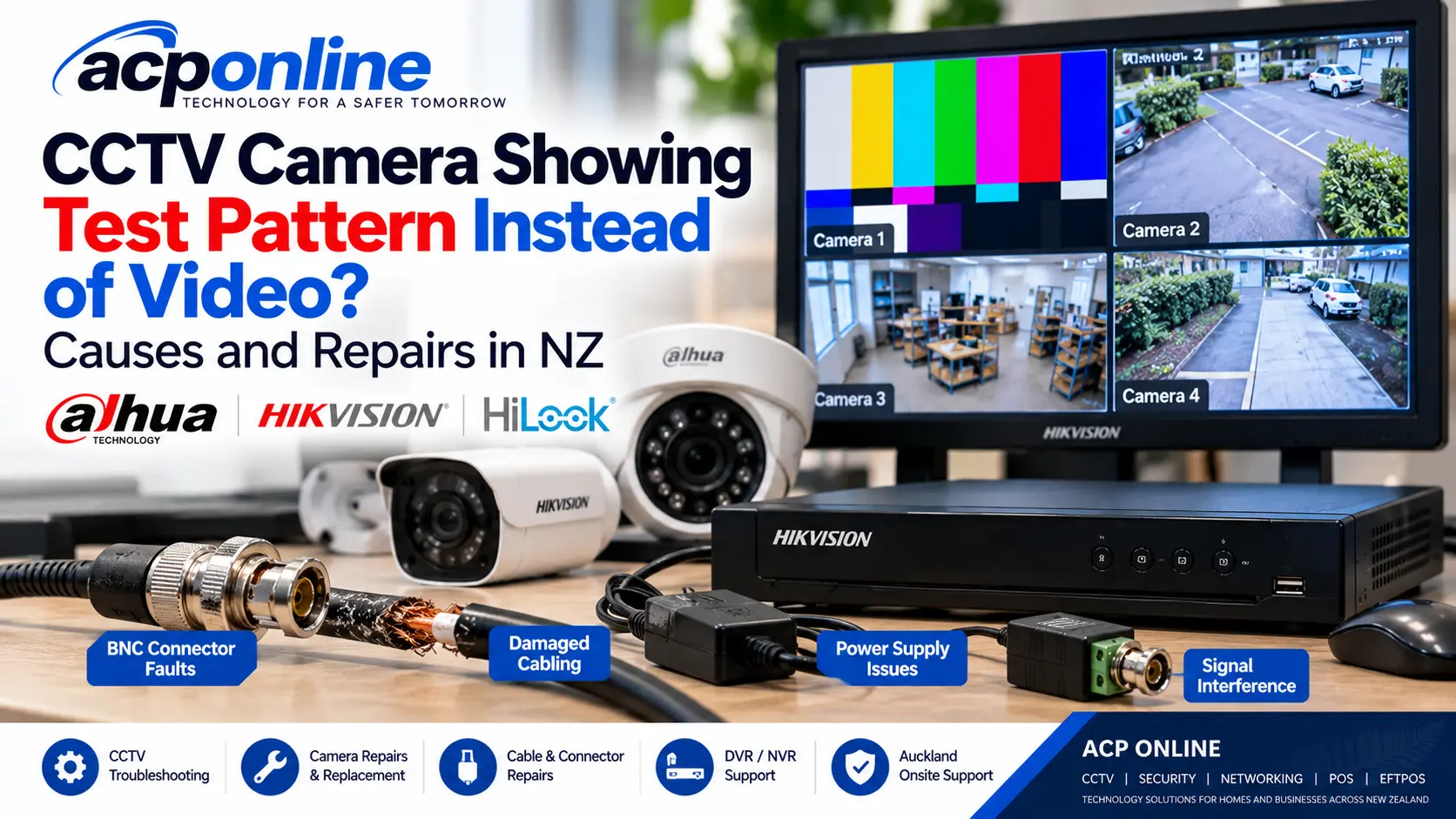
CCTV Camera Showing Test Pattern Instead of Video? Causes and Repairs in NZ
Is one of your CCTV cameras showing a test pattern, coloured bars, distorted images or a blank screen instead of live video?
This can happen on residential and commercial CCTV systems, including analogue cameras connected to DVR recorders and IP cameras connected to NVR systems.
Although a faulty camera may be responsible, the problem could also involve damaged cables, loose connectors, an unstable power supply, signal compatibility or a recorder fault.
Replacing the camera immediately may not solve the problem. Identifying the actual cause can help avoid unnecessary replacement costs.
ACP Online provides professional CCTV troubleshooting, camera testing, cabling diagnosis and repairs throughout Auckland, New Zealand.
What Does a CCTV Test Pattern Mean?
A CCTV test pattern is a diagnostic or substitute image that may appear when the expected camera video is unavailable or cannot be interpreted correctly.
Depending on the equipment, the pattern may originate from the camera, recorder or another device in the video signal path.
Some test patterns appear as vertical colour bars, while others may display a manufacturer logo, calibration image, distorted picture or blank video.
The appearance of a test pattern does not automatically mean the camera has failed.
Common Causes of CCTV Cameras Showing Test Patterns
1. Loose or Damaged BNC Connectors
Many analogue CCTV systems use coaxial cables with BNC connectors to transmit video signals from the cameras to the DVR.
Over time, connectors may become loose, corroded or damaged.
Common symptoms include:
- Intermittent video loss.
- Distorted or unstable images.
- Camera signal dropping in and out.
- Test patterns or unsupported video messages.
- No video signal on the recorder.
A technician can inspect the connectors, test the cable and replace damaged terminations where necessary.
2. Damaged CCTV Coaxial Cable
A faulty coaxial cable can interrupt the video signal even when the camera itself is working correctly.
Possible causes include:
- Water entering outdoor cable connections.
- Physical damage to the cable.
- Ageing or deteriorated insulation.
- Poor cable joints or termination.
- Excessive cable length or signal loss.
- Damaged cable shielding.
In some cases, the camera may work correctly when tested independently but fail when connected through the installed cable.
3. Faulty or Unstable Camera Power Supply
CCTV cameras require a suitable and stable power supply.
Depending on the equipment, this may involve a low-voltage power adapter, central power supply or Power over Ethernet (PoE).
An unstable supply can cause:
- Camera restarts.
- Intermittent video.
- Loss of night vision.
- Distorted images.
- Complete camera failure.
Power requirements vary by manufacturer and model. Incorrect power supplies can damage equipment.
4. CCTV Video Format Compatibility Problems
Some analogue CCTV systems support multiple video formats, including:
- HDCVI – High Definition Composite Video Interface.
- HD-TVI – High Definition Transport Video Interface.
- AHD – Analogue High Definition.
- CVBS – Composite Video Baseband Signal.
If a camera is configured for a video format or resolution that the DVR does not support, the recorder may fail to display the expected picture.
This can occur after replacing a camera, changing recorder settings or upgrading equipment.
Always verify camera and recorder compatibility before making configuration changes.
5. Electrical Interference and Grounding Problems
Electrical interference can affect analogue CCTV video quality, particularly where cables have damaged shielding, unsuitable routing or grounding problems.
Symptoms may include:
- Rolling lines across the image.
- Flickering video.
- Intermittent picture distortion.
- Noise or interference patterns.
- Video instability when nearby equipment operates.
Interference does not necessarily cause a test pattern, but it can contribute to video signal problems.
Where appropriate, a technician may investigate cable routing, grounding, connectors or the suitability of a compatible video isolation device.
Never alter mains electrical wiring or protective earthing arrangements to troubleshoot CCTV interference.
6. CCTV Camera Hardware Failure
Internal camera components can fail due to age, moisture, overheating, electrical damage or manufacturing faults.
Possible symptoms include:
- No image output.
- Intermittent video.
- Unusual diagnostic images.
- Failure to start correctly.
- Image problems that remain during independent testing.
Where practical, testing the camera separately from the installed cabling can help determine whether the camera itself is defective.
7. DVR or NVR Recorder Problems
The recorder may also be responsible for missing or abnormal video.
Possible causes include:
- Faulty recorder input channels.
- Unsupported video format settings.
- Software or configuration faults.
- Network connectivity problems affecting IP cameras.
- Hardware deterioration.
On IP camera systems, video loss may also involve PoE switches, network configuration or camera communication faults.
How to Troubleshoot a CCTV Camera Showing a Test Pattern
Step 1: Identify Whether One Camera or Multiple Cameras Are Affected
If only one camera is affected, the problem may be associated with that camera, its cable, power supply or recorder connection.
If several cameras fail simultaneously, investigate shared equipment such as the recorder, network switch or central power supply.
Step 2: Check the CCTV Recorder
Connect a monitor directly to the DVR or NVR and review the affected camera channel.
Record any error messages, video format warnings or unusual images displayed.
Step 3: Inspect Accessible Cable Connections
Check for visibly loose or damaged connectors and cables.
Do not open electrical enclosures or attempt repairs to inaccessible or mains-powered equipment.
Step 4: Check Camera Power
Confirm that the camera's power supply or PoE connection is operating correctly.
Any electrical testing should be carried out using suitable equipment and appropriate technical knowledge.
Step 5: Test the Camera Independently
A CCTV technician may test the camera using a compatible diagnostic monitor, recorder or test equipment.
If the camera works correctly during independent testing, the installed cable, connectors, power supply or recorder input may require further investigation.
Step 6: Test the Installed Cable
Depending on the installation, a technician may test cable continuity, termination quality, signal integrity or other relevant electrical characteristics.
Testing can help determine whether the cable can be repaired or needs replacement.
Why Does My CCTV Camera Work in the Workshop but Not at Home?
This is an important troubleshooting question.
A camera may operate correctly when connected to a known-good power supply and compatible test equipment, yet fail when returned to its original installation.
This suggests the problem may involve the installed environment rather than the camera itself.
Potential causes include:
- Damaged coaxial or Ethernet cabling.
- Faulty BNC or RJ45 connectors.
- Power supply instability.
- Signal interference.
- Recorder input or compatibility problems.
A camera that works during independent testing should not automatically be replaced without investigating these possibilities.
Can CCTV Cable Interference Cause Test Patterns or Video Loss?
Electrical interference can contribute to analogue CCTV image problems, although it is not the only possible cause of test patterns.
Problems may occur when cables are poorly shielded, damaged or installed too close to sources of electrical noise.
Where a genuine interference problem has been confirmed, the solution may involve repairing cable shielding, replacing damaged wiring, correcting installation issues or using suitable isolation equipment.
The appropriate repair depends on the system design and the confirmed cause.
Should You Repair or Replace a CCTV Camera?
Before replacing a camera, consider:
- Whether the camera works during independent testing.
- The condition of the existing cabling.
- The age and specifications of the camera.
- Availability of compatible replacement parts.
- Repair labour compared with replacement cost.
- Compatibility with the existing DVR or NVR.
Replacing a functioning camera will not resolve a faulty cable, incompatible video setting or defective recorder input.
In other cases, replacing an old or damaged camera may be more economical than attempting a repair.
Can You Reuse Existing CCTV Cables When Upgrading Cameras?
In some installations, existing coaxial cables can be reused with compatible analogue HD cameras and recorders.
However, cable condition, length, connectors, shielding and supported video standards must be considered.
IP camera upgrades may require suitable Ethernet cabling, network switches or other equipment.
A professional assessment can help determine the most practical upgrade option.
CCTV Camera Repairs and Troubleshooting in Auckland
ACP Online provides technical assistance for compatible residential and commercial CCTV installations throughout Auckland.
Our CCTV services include:
- CCTV camera fault diagnosis.
- Camera testing and replacement assessment.
- BNC connector inspection and replacement.
- Coaxial and network cable troubleshooting.
- DVR and NVR fault investigation.
- Power supply and PoE troubleshooting.
- Video interference diagnosis.
- CCTV maintenance and system audits.
- Compatible CCTV equipment repairs and upgrades.
We support compatible Dahua, Hikvision, HiLook and other CCTV systems, including existing installations completed by other providers.
How Much Does CCTV Repair Cost in Auckland?
Repair costs depend on the fault, equipment condition, location, diagnostic time and replacement parts required.
ACP Online's standard service rates are:
- Central Auckland call-out: NZ$65 + GST.
- Outer Auckland call-out: NZ$95 + GST.
- Technical labour: NZ$170 + GST per hour.
- Minimum labour: One hour, followed by 30-minute billing blocks.
These rates apply during normal business hours, Monday to Friday, 8:00am to 5:00pm, excluding public holidays.
Replacement parts and other applicable charges are additional.
Need Help With a CCTV Camera Showing a Test Pattern?
If your CCTV camera is displaying coloured bars, distorted images or no video, ACP Online can help investigate the fault and recommend suitable repair or replacement options.
Professional technical support and service charges apply.
Explore ACP Online CCTV Installation Services
Browse Hikvision CCTV Products
Contact ACP Online for CCTV Repairs and Technical Support
Written by: ACP Online Technical Team
Providing professional technical advice, troubleshooting, installation and support for CCTV, security systems, EFTPOS, POS, networking and business technology throughout New Zealand.
Frequently asked questions
1. Why is my CCTV camera showing a test pattern instead of video?
A CCTV test pattern may be caused by camera hardware problems, damaged cables, faulty connectors, power supply issues, video format incompatibility or recorder faults.
2. Does a CCTV test pattern mean the camera is faulty?
Not necessarily. The camera may be working correctly while the cable, power supply or recorder connection is faulty.
3. Can a damaged BNC connector cause CCTV video problems?
Yes. Loose, corroded or damaged BNC connectors can cause intermittent video, signal loss and distorted images.
4. Why does my CCTV camera work in the workshop but not when installed?
The installed cable, connectors, power supply or recorder input may be faulty even though the camera itself works correctly.
5. Can electrical interference affect CCTV cameras?
Yes. Poor shielding, damaged cables, grounding problems and nearby electrical equipment can contribute to image interference.
6. Can a faulty power supply cause CCTV video loss?
Yes. An unstable or unsuitable power supply can cause camera restarts, intermittent video and other faults.
7. Can I reuse my existing CCTV cables?
Possibly. This depends on the condition of the cables and their compatibility with the cameras and recorder.
8. Should I replace my CCTV camera immediately?
Not necessarily. Testing the camera and its connections first may help avoid replacing working equipment.
9. Does ACP Online repair CCTV systems installed by other companies?
ACP Online can assess compatible existing systems, including selected Dahua, Hikvision, HiLook and other installations.
10. How much does CCTV repair cost in Auckland?
ACP Online's standard technical labour rate is NZ$170 + GST per hour, with applicable onsite call-out fees and a one-hour minimum.
11. Can a CCTV recorder cause a test pattern or no video?
Yes. Recorder input faults, unsupported video formats and configuration problems may prevent the expected image from appearing.
12. Can ACP Online check my CCTV cables before recommending a new camera?
Yes. ACP Online can investigate compatible CCTV cabling, connectors and equipment to help identify the likely cause before recommending repairs or replacement.
Related services
ACP Online provides professional CCTV installation, repairs, upgrades and maintenance across Auckland. We specialise in residential and commercial security camera systems, including Hikvision and Dahua, with remote viewing, reliable recording and expert technical support.
ACP Online provides professional CCTV repairs, troubleshooting and preventative maintenance across Auckland. We service compatible Dahua, Hikvision and other security camera systems, including DVR/NVR recorders, faulty cameras, blurry night vision, recording failures and remote viewing problems.
More articles
CCTV Installation Guide for Auckland Businesses
Planning CCTV installation for your Auckland business? Learn how to choose security cameras, plan coverage, select NVRs, estimate installation costs and maintain a reliable commercial CCTV system.
Common CCTV Camera Problems and Repairs: NZ Troubleshooting Guide
CCTV camera not working, showing a black screen or recording blurry night footage? Learn about common security camera problems, troubleshooting steps and professional CCTV repairs in Auckland.

Best Home Security Cameras in NZ: CCTV, Arlo, Eufy & Outdoor Camera Guide
Looking for the best home security cameras in NZ? Compare Arlo, Eufy, wired CCTV and outdoor security cameras, including recording options, night vision, installation and privacy.