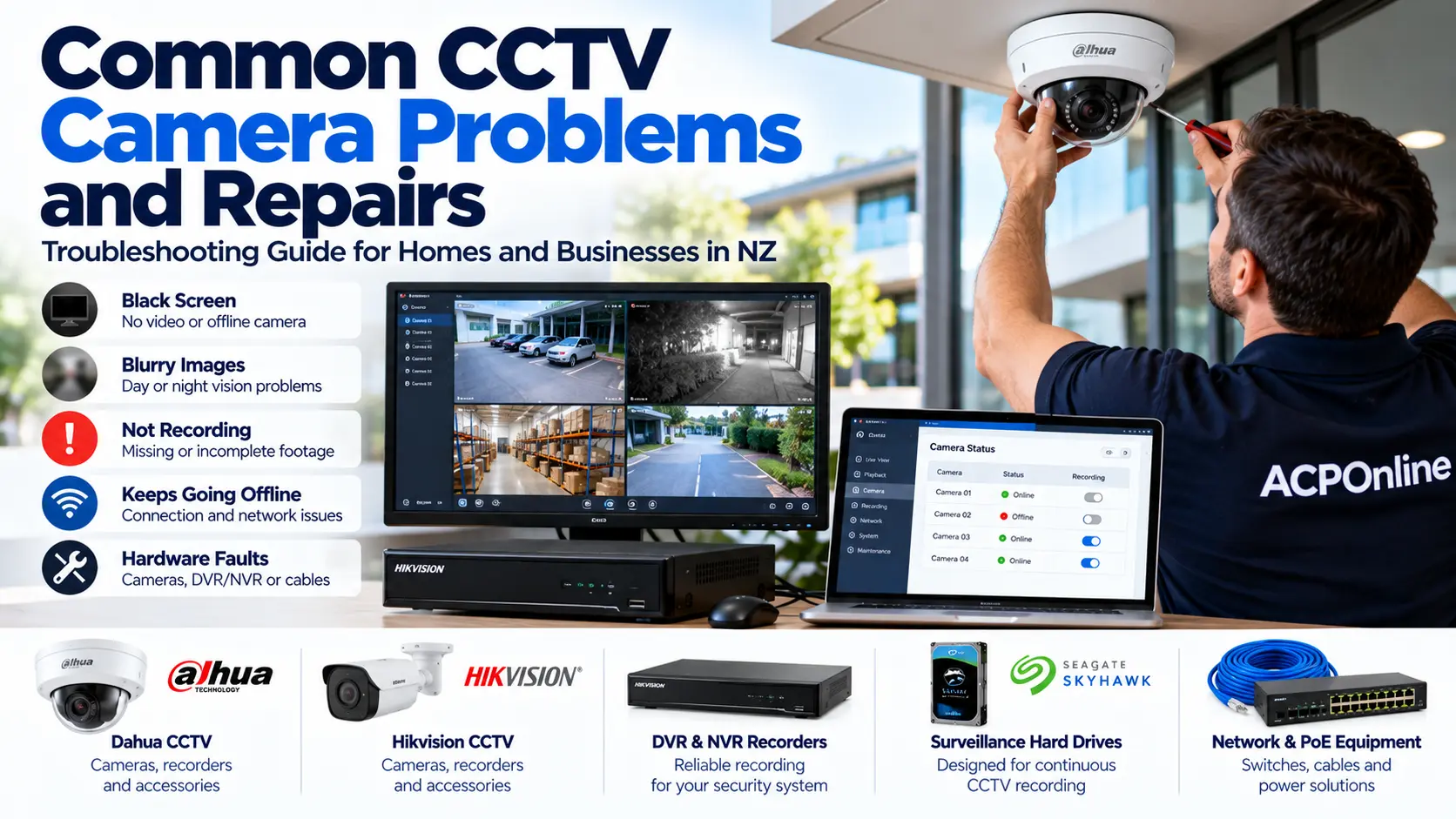
Why Do CCTV Cameras Stop Working?
CCTV security cameras play an important role in protecting homes, shops, offices, warehouses and commercial properties across New Zealand. However, even professionally installed security systems can develop faults due to ageing components, power problems, damaged cables, network issues, incorrect settings or environmental exposure.
Common symptoms include black screens, blurry night vision, cameras going offline, recording failures and poor image quality.
At ACP Online, we provide CCTV troubleshooting, repairs, maintenance and upgrades in Auckland, including assistance with Dahua, Hikvision and other compatible security camera systems.
1. CCTV Camera Showing a Black Screen or No Video
A black screen is one of the most common CCTV problems. It does not necessarily mean the camera has failed.
Possible Causes
- Disconnected or damaged camera cables.
- Failed power adapters or PoE switches.
- Loose connectors or damaged network ports.
- Incorrect DVR or NVR channel settings.
- Camera hardware failure.
- Network addressing or communication problems.
What You Can Check
Confirm the recorder and display are powered on. Check whether other cameras are operating and whether the affected channel reports a connection error. Inspect accessible cables for visible damage without disturbing electrical equipment.
If the camera remains offline, professional testing may be needed to determine whether the fault is with the camera, cable, power supply or recorder.
2. CCTV Camera Showing a Test Pattern or Colour Bars
Some CCTV systems display colour bars, a test pattern or a diagnostic image instead of live camera footage. The cause depends on the camera technology and recorder configuration.
Possible Causes
- Camera video output or hardware faults.
- Incompatible analogue video formats.
- Damaged coaxial cables or connectors.
- Incorrect DVR channel configuration.
- Recorder or camera signal-processing problems.
Recommended Repair Approach
A technician can check the camera signal, recorder compatibility, connectors and power supply. Depending on the diagnosis, the solution may involve configuration changes, cable repairs or replacement of a faulty component.
3. CCTV Night Vision Is Blurry or Cloudy
Security cameras often produce acceptable daytime images but poor night-time footage. This is particularly common with ageing dome cameras.
Why Does CCTV Night Vision Become Blurry?
- Scratched, cloudy or deteriorated dome covers.
- Dust, moisture or condensation inside the camera housing.
- Infrared light reflecting from the dome cover.
- Spider webs or dirt near the lens.
- Incorrect camera angle or infrared illumination.
- Defective infrared LEDs or camera components.
Can a CCTV Dome Cover Be Replaced?
In some cases, yes. A compatible replacement dome cover may restore image clarity without replacing the entire camera. Availability depends on the manufacturer, model and condition of the camera.
If the cover is severely deteriorated or replacement parts are unavailable, replacing the camera may be more economical.
4. CCTV Camera Keeps Going Offline
Intermittent camera disconnections can leave gaps in surveillance coverage and recording history.
Common Causes
- Unstable network connections.
- Insufficient PoE power budget.
- Damaged Ethernet cables or connectors.
- IP address conflicts.
- Faulty switches or network equipment.
- Firmware compatibility problems.
- Intermittent power supplies.
How to Resolve Camera Disconnections
Check whether the issue affects one camera or several cameras. Review recorder logs, network status and power alerts where accessible. A technician can test cable integrity, PoE delivery, network configuration and equipment condition.
5. CCTV System Is Not Recording
A camera displaying live video does not guarantee that footage is being recorded.
Possible Recording Problems
- Failed or disconnected surveillance hard drive.
- Storage capacity or disk health warnings.
- Incorrect recording schedules.
- Motion detection settings that miss events.
- Recorder software or hardware faults.
- Incorrect camera channel configuration.
What Should You Check?
Use the recorder's playback function to verify recent footage. Review storage status and recording schedules. If the hard drive reports errors, arrange a professional assessment before replacing or formatting it.
Important: Formatting or replacing storage may permanently erase existing footage. Preserve relevant recordings before performing storage maintenance.
6. CCTV Images Are Blurry During the Day
Blurry CCTV images may result from dirty lenses, incorrect focus, physical damage, moisture or unsuitable camera settings.
Possible Solutions
- Clean accessible external surfaces using manufacturer-approved methods.
- Check whether the camera has been moved or obstructed.
- Review supported focus and image settings.
- Inspect for condensation or lens damage.
- Consider whether the camera resolution is suitable for the viewing distance.
Internal optical repairs should be undertaken only by suitably qualified personnel.
7. CCTV Camera Has Condensation or Water Inside
Water ingress can damage electronic components and cause intermittent operation, blurry images or complete camera failure.
Common Causes
- Damaged weather seals.
- Incorrect cable entry or mounting arrangements.
- Cracked camera housings.
- Ageing gaskets or deteriorated enclosures.
- Unsuitable installation for the environment.
Moisture-related faults require assessment of both the camera and installation. Replacing a camera without correcting the source of water ingress may lead to repeated failures.
8. CCTV Mobile App Not Connecting
Remote viewing problems can occur even when local recording is functioning normally.
Common Causes
- Internet or router connectivity problems.
- Recorder network configuration errors.
- Outdated or unsupported mobile applications.
- Incorrect account permissions.
- Device registration or authentication failures.
- Firewall or network security restrictions.
Check whether local camera viewing works before changing network settings. Avoid exposing CCTV equipment directly to the internet using insecure port forwarding. Use manufacturer-supported secure remote access methods.
9. CCTV Recorder Beeping or Displaying Hard Drive Errors
Many DVR and NVR recorders produce audible alerts when a storage, network or hardware problem is detected.
Possible Causes
- Hard drive failure or storage errors.
- Camera disconnection.
- Recording configuration issues.
- Hardware temperature warnings.
- Power or network faults.
Review the recorder's system alerts to identify the cause. Do not disable warning notifications without addressing the underlying problem.
10. CCTV Cameras Stop Working After a Power Outage
Power interruptions can affect recorders, PoE switches, routers and camera power supplies.
What to Check
- Confirm the recorder and associated network equipment have power.
- Check for visible power supply or UPS warnings.
- Verify camera connections after the equipment has restarted.
- Check whether the recorder is recording again.
- Review equipment health and surge protection requirements.
If equipment is damaged, overheating or producing unusual smells, disconnect it safely where appropriate and arrange qualified servicing.
Which CCTV Brands Can Be Repaired?
ACP Online can assess faults involving many commonly used CCTV technologies, including systems from manufacturers such as Dahua, Hikvision, Uniview, HiLook, Tiandy, Axis, Hanwha Vision, Bosch, Panasonic, Vivotek, Reolink and compatible OEM equipment.
Repair eligibility depends on the specific model, equipment condition, available replacement parts, software support and system configuration. Not every brand or model can be repaired economically.
Should You Repair or Replace a CCTV Camera?
Repair may be worthwhile when the problem involves a replaceable dome cover, connector, cable, power supply or configuration issue.
Replacement may be preferable when:
- The camera has significant internal water damage.
- Replacement parts are no longer available.
- The camera is no longer receiving necessary security updates.
- Repair costs approach the price of suitable replacement equipment.
- The existing camera no longer meets image quality or coverage requirements.
A professional assessment can help identify the most cost-effective option while considering compatibility with the existing DVR or NVR.
Why Schedule Regular CCTV Maintenance?
Preventative maintenance helps identify faults before they compromise recording reliability.
- Check camera image quality during daytime and at night.
- Inspect accessible housings and mounting brackets.
- Verify recording and playback functions.
- Review hard drive health and available storage.
- Check timestamps and recording retention.
- Review supported firmware and security updates.
- Inspect network and power equipment.
- Confirm remote viewing works for authorised users.
Professional CCTV Camera Repairs in Auckland
ACP Online provides CCTV fault diagnosis, system audits, maintenance, upgrades and repair services for Auckland homes and businesses.
Our technicians can investigate camera failures, blurry night vision, recorder problems, connectivity faults and compatibility issues.
CCTV System Audit and Repair Assessment
Our standard Central Auckland onsite technical rate is NZ$170 + GST for the first hour, with a NZ$65 call-out fee normally applicable. Where a promotional or specifically quoted call-out waiver applies, this will be confirmed before the appointment. Additional time, parts and repairs are chargeable.
Visit CCTV Installation Auckland to learn about our CCTV services.
Request CCTV Repair Assistance
Experiencing CCTV problems at your home or business? Contact ACP Online to discuss your camera brand, recorder model, number of cameras and fault symptoms.
Providing this information helps our team assess the problem and recommend the next step.
Frequently asked questions
1. Can a CCTV camera be repaired instead of replaced?
Yes. Some CCTV faults can be repaired by replacing damaged cables, connectors, power supplies or compatible dome covers. Internal camera faults or severe water damage may make replacement more economical.
2. Why is my CCTV camera showing a black screen?
A black screen can result from power failure, damaged cabling, incorrect recorder settings, network problems or a faulty camera. Diagnosis should establish the cause before replacing equipment.
3. Why is my CCTV night vision blurry?
Common causes include dirty or scratched dome covers, infrared reflection, spider webs, moisture, damaged lenses and incorrect camera positioning.
4. Can a scratched CCTV dome cover be replaced?
Some CCTV dome cameras have replaceable covers. Availability depends on the brand, model and spare parts supply.
5. Why does my CCTV camera show a test pattern?
Test patterns or colour bars can indicate signal problems, incorrect video formats, recorder configuration issues or camera hardware faults. The exact cause depends on the equipment.
6. Why is my CCTV system not recording?
Possible causes include hard drive failure, incorrect recording schedules, storage errors, motion detection configuration or recorder faults. Check playback and storage health.
7. Can ACP Online repair Dahua and Hikvision CCTV systems?
ACP Online provides troubleshooting and repair assessments for Dahua, Hikvision and other compatible CCTV systems. Repair options depend on the specific equipment and parts availability.
8. How much does a CCTV repair assessment cost in Auckland?
ACP Online's standard Central Auckland onsite technical rate is NZ$170 plus GST for the first hour, with a NZ$65 plus GST call-out fee normally applicable. Any call-out waiver must be confirmed for the booking. Parts and additional work are extra.
9. How often should CCTV cameras be serviced?
Regular visual and recording checks are recommended. A more comprehensive maintenance review every six to twelve months may be appropriate, depending on the environment and system requirements.
10. Should I replace my old CCTV system?
Consider replacement when cameras are unreliable, replacement parts are unavailable, security updates have ended or the system no longer meets recording and image quality requirements.
11. Can a CCTV camera work but fail to record?
Yes. Live viewing and recording are separate functions. A camera may display video while the recorder has a storage, schedule or configuration problem.
12. Does ACP Online provide CCTV repairs for homes and businesses?
Yes. ACP Online provides CCTV troubleshooting, maintenance and repair assessments for residential and commercial properties in Auckland.
Related services
ACP Online provides professional CCTV installation, repairs, upgrades and maintenance across Auckland. We specialise in residential and commercial security camera systems, including Hikvision and Dahua, with remote viewing, reliable recording and expert technical support.
ACP Online provides professional CCTV repairs, troubleshooting and preventative maintenance across Auckland. We service compatible Dahua, Hikvision and other security camera systems, including DVR/NVR recorders, faulty cameras, blurry night vision, recording failures and remote viewing problems.
More articles

CCTV Installation Guide for Auckland Businesses
Planning CCTV installation for your Auckland business? Learn how to choose security cameras, plan coverage, select NVRs, estimate installation costs and maintain a reliable commercial CCTV system.

Best Home Security Cameras in NZ: CCTV, Arlo, Eufy & Outdoor Camera Guide
Looking for the best home security cameras in NZ? Compare Arlo, Eufy, wired CCTV and outdoor security cameras, including recording options, night vision, installation and privacy.

Dahua DMSS Offline After Changing Internet Provider in NZ
Changed your internet provider and suddenly lost access to your Dahua CCTV cameras through the DMSS app? Learn why your security cameras may appear offline, how to troubleshoot common router and network problems, and when professional CCTV support is needed in New Zealand.