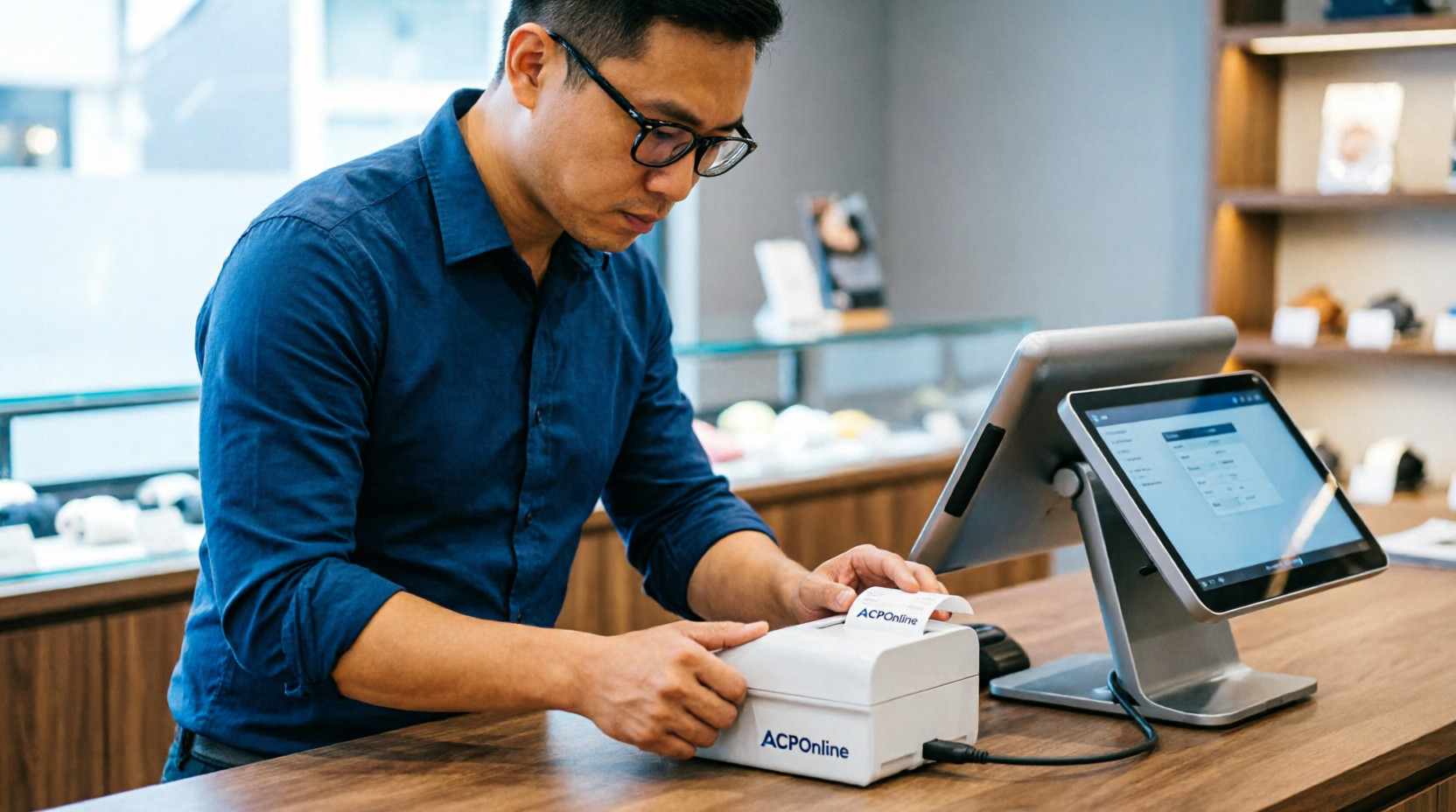
Receipt Printer Setup in Auckland by ACP Online
Efficient transaction processing is essential for retail stores, restaurants, and service businesses. A reliable receipt printer ensures customers receive accurate transaction records while helping businesses maintain proper financial documentation. Professional Receipt printer Setup services play an important role in making sure these devices function correctly and integrate smoothly with POS and payment systems.
ACP Online provides expert installation and configuration services for businesses across Auckland. Their experienced technicians ensure that each Receipt printer Setup is completed according to the specific requirements of the business, whether it involves a retail POS system, hospitality ordering system, or mobile payment solution.
One of the most important benefits of professional installation is compatibility. Receipt printers must be properly connected to POS software, EFTPOS machines, and network systems. Without the correct configuration, printing errors and delays can occur. ACP Online ensures every Receipt printer Setup is tested to confirm seamless integration with existing business technology.
Another key advantage is efficiency. A properly configured printer helps speed up checkout processes and reduces transaction errors. Slow or unreliable printers can cause delays and frustration for both staff and customers. With expert Receipt printer Setup, businesses can ensure consistent performance and smooth daily operations.
Hardware configuration is also an important part of the process. Receipt printers often require proper driver installation, interface setup, and network configuration. ACP Online technicians handle these technical requirements as part of their Receipt printer Setup services, ensuring that the equipment operates reliably from the beginning.
Businesses also benefit from professional advice on selecting the right printer type. Thermal printers, for example, are commonly used due to their speed and low maintenance needs. Impact printers may be better suited for environments where duplicate receipts are required. ACP Online helps businesses choose the most suitable hardware before completing the Receipt printer Setup process.
Training is another valuable component of professional services. Staff need to understand how to reload paper, troubleshoot basic issues, and manage printer settings. ACP Online provides practical guidance during the Receipt printer Setup process so employees can confidently operate the equipment and minimize downtime.
Ongoing technical support is equally important. Even high-quality printers may occasionally need updates or troubleshooting. ACP Online offers responsive support services to assist businesses whenever needed. Their continued assistance ensures every Receipt printer Setup continues to deliver reliable performance over time.
Scalability is also an important factor for growing businesses. As companies expand, they may need additional printers for new checkout points or service areas. ACP Online provides flexible Receipt printer Setup services that allow easy expansion without major disruptions to existing systems.
Maintenance is another important consideration. Regular cleaning and system checks can prevent common problems such as paper jams, faded printing, or connection failures. ACP Online offers servicing recommendations to help businesses maintain the results of their Receipt printer Setup and extend the life of their equipment.
Customer experience is also improved when receipt printing works smoothly. Fast and clear receipts contribute to a professional checkout process and help businesses maintain accurate transaction records. Investing in expert Receipt printer Setup ensures customers receive reliable service while businesses maintain operational efficiency.
ACP Online also ensures that printers are configured for correct tax settings, branding elements such as logos, and clear receipt formatting. Their attention to detail during every Receipt printer Setup helps businesses present a professional image while maintaining compliance with financial reporting requirements.
In conclusion, professional installation is essential for businesses that rely on efficient transaction processing. ACP Online provides expert Receipt printer Setup services that include installation, configuration, and ongoing support. With the right setup in place, businesses can improve checkout speed, reduce errors, and maintain reliable documentation. Choosing ACP Online ensures your receipt printing systems are installed correctly and ready to support your daily operations.
ACP Online Receipt Printer Setup for Businesses
Efficient point-of-sale operations are essential for any retail, hospitality, or service-oriented business. A reliable receipt printer is a key component of a modern POS system, enabling fast transactions, accurate records, and professional customer service. ACP Online specializes in the professional setup and configuration of receipt printers, ensuring seamless integration with POS systems, including Idealpos, MYOB, Vend, and more. This guide provides a detailed, SEO-optimized overview of receipt printer setup and installation for businesses.
Importance of Receipt Printers in Business
Receipt printers are more than just a tool for printing customer receipts. They play a critical role in enhancing operational efficiency, ensuring accurate sales records, and improving customer satisfaction. Businesses that use properly installed receipt printers benefit from:
-
Faster transaction processing – Reduces customer wait times.
-
Accurate record keeping – Every transaction is automatically documented.
-
Integration with POS systems – Supports automated reporting, inventory management, and promotions.
-
Professional customer experience – Provides clear, legible receipts with branding elements.
ACP Online ensures that businesses select the right printer type and properly install it for optimal performance.
Types of Receipt Printers
Choosing the correct receipt printer is the first step in installation. ACP Online offers guidance on various types of printers:
-
Thermal Printers – The most common choice for fast, quiet printing. No ink is required; instead, heat is applied to special paper. Ideal for retail and hospitality.
-
Dot Matrix Printers – Used in environments where multi-copy receipts are required, such as kitchens or delivery services.
-
Wireless/Bluetooth Printers – Provide mobility and reduce cable clutter, suitable for mobile POS setups.
-
Ethernet or USB Printers – Common for fixed POS terminals, offering stable and fast connections.
Selecting the right type ensures compatibility with your POS system and operational requirements.
Pre-Installation Preparation
Before installing a receipt printer, ACP Online performs a pre-installation assessment:
-
POS system compatibility – Ensures the printer works seamlessly with the business’s existing POS software.
-
Power and connectivity – Verifies available USB, Ethernet, or power connections.
-
Paper and consumables – Determines correct receipt paper size and type.
-
Physical setup – Evaluates printer placement for ease of access by staff and optimal customer interaction.
Proper preparation reduces setup time and prevents operational delays.
Step-by-Step Receipt Printer Installation
ACP Online follows a structured, professional approach to setup receipt printers:
-
Connecting the Printer
-
Wired printers connect via USB, Ethernet, or serial cables.
-
Wireless printers are paired using Wi-Fi or Bluetooth protocols.
-
-
Installing Drivers and Software
-
Required drivers are installed on the POS terminal or connected computer.
-
Configuration software may be used to customize print settings, including paper size, logo printing, and default formatting.
-
-
Configuration with POS System
-
The printer is integrated with the POS software, ensuring that all receipts are printed automatically during transactions.
-
ACP Online configures printer settings such as line spacing, fonts, and logos to match branding requirements.
-
-
Testing and Verification
-
Test receipts are printed to verify correct alignment, formatting, and printer responsiveness.
-
Staff are guided on troubleshooting common issues, such as paper jams or connectivity problems.
-
-
Staff Training
-
Employees are trained on proper use, maintenance, and consumable replacement.
-
ACP Online provides guidance for optimal printer performance and longevity.
-
Best Practices for Businesses
To maintain reliable receipt printer operations, ACP Online recommends:
-
Regular Maintenance – Clean the print head and replace worn parts as needed.
-
Use High-Quality Paper – Ensures clear prints and reduces printer wear.
-
Update Software – Keep POS software and printer drivers up to date for compatibility.
-
Backup Print Configurations – Save settings to simplify future replacements or upgrades.
Following these practices ensures consistent performance and reduces downtime.
Benefits of ACP Online Installation
Professional setup by ACP Online offers multiple advantages:
-
Seamless POS integration – Ensures the printer works flawlessly with existing systems.
-
Optimized performance – Configured for speed, reliability, and minimal maintenance.
-
Staff readiness – Employees are trained for efficient use and troubleshooting.
-
Long-term support – Technical assistance is available for future adjustments or issues.
Conclusion
A properly installed and configured receipt printer is vital for smooth business operations, accurate record-keeping, and enhanced customer experience. ACP Online provides expert receipt printer setup and installation, covering hardware setup, software configuration, POS integration, testing, and staff training. By choosing ACP Online, businesses can ensure reliable, efficient, and professional receipt printing that supports daily operations and long-term growth.