Akubela ZigBee LED Dimmer
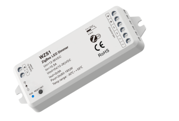
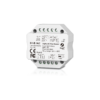
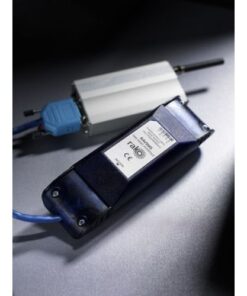
Akubela offers two primary types of Zigbee dimmers: a low-voltage LED Strip Controller (WZS1) and an AC Triac Dimmer (S1-B) for standard dimmable bulbs. Both are designed to integrate natively with Akubela HyPanels.
1. Low-Voltage LED Dimmer (WZS1)
This model is specifically designed for monochrome (single color) LED strips. It sits between your 12V-36V power supply and the LED strip.
-
Precise Control: Supports 65,536 dimming levels (16-bit) for ultra-smooth transitions.
-
Dual Channels: Features two output channels, each supporting up to 5A.
-
Network Relay: Acts as a Zigbee mesh repeater, extending the signal range for other smart devices in your home.
-
Safety: Includes built-in short-circuit and overheat protection with automatic recovery.
| Feature | Specification |
| Input Voltage | 12V – 36V DC |
| Max Power | 60W – 180W per channel |
| PWM Frequency | 4 kHz (Flicker-free) |
| Dimensions | 114 x 38 x 20 mm |
2. AC Triac Dimmer (S1-B / WZ)
This is a compact module intended to be installed behind a traditional wall switch or inside a junction box to control 220V AC dimmable LED bulbs or incandescent lights.
-
Universal Dimming: Supports both Leading-edge and Trailing-edge dimming modes (selectable to match your specific bulbs).
-
Minimum Brightness: Allows you to set a “minimum floor” to prevent bulbs from flickering or turning off at very low dimming levels.
-
Load Capacity: Supports a maximum current of 1.5A (roughly 150W–360W depending on the voltage).
How to Pair (Zigbee Pairing Mode)
To connect either device to your Akubela HyPanel or BelaHome App:
-
For WZS1 (LED Strip): Quickly press the Reset/Network button 5 times (or toggle the physical power switch 5 times). The connected light will “breathe” to indicate it is in pairing mode.
-
For S1-B (AC Dimmer): Press and hold the Reset button for 5 seconds, or quickly press it twice. The blue LED indicator will flash rapidly.
-
On the HyPanel: Swipe down > Device Management > + Add Device to discover the dimmer.

![LED Downlight Kit 12W (900 lm) Cool White [White]](https://acponline.co.nz/wp-content/uploads/2025/02/leddownlightkit12w900lmcoolwhitewhite1646-247x265.jpg)