

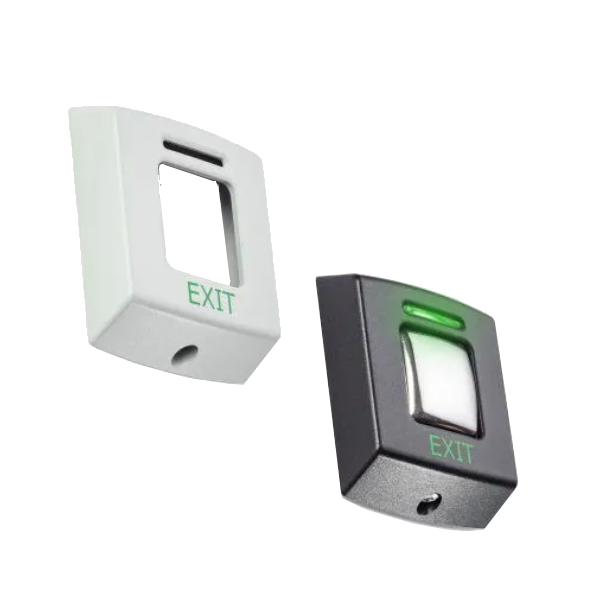
REX – Request to EXIT Button E50 in New Zealand
REX – Request to EXIT Button E50 is available through ACP Online NZ within our Request to Exit Buttons collection. Review the information below to confirm that it suits your equipment, application and compatibility requirements.
Product information
About – Exit buttons may be used with Compact, Switch2 or Net2 systems. The E series is designed to match our range of proximity readers and keypads. Exit buttons are supplied with black fascias only. Replacement fascias are available in black and white/grey, and are free of charge to Paxton registered installers from the Extranet. The E series exit buttons are available in three sizes and are suitable for interior use.
Installation – The installation instructions show how the exit button is wired to Compact, Switch2 and Net2 systems. The E75 exit button fits on a standard UK recessed backbox.
The exit button with screw connectors is not pre-wired. It is supplied with rising clamp terminals at the rear.
Operation – E Series. The green LED is lit continuously. When the exit button is pressed, the green LED flashes to indicate that the door is unlocked (only when used with Switch2 and Net2).
When used with compact the exit button is illuminated but will not flash.
Product details
- Brand: REX
- SKU / model reference: PA-356-310
- Product category: Paxton › Request to Exit Buttons
- Catalogue status: Send enquiry to confirm stock and current pricing.
Before ordering
Please confirm model, connection, sizing, consumable or device compatibility where applicable. Product images and references should be checked against your existing equipment before purchase.
ACP Online New Zealand support
ACP Online supplies business technology products and related solutions across New Zealand. For product matching, availability or ordering assistance, contact the ACP Online team.